
See All Your Sites in One Place
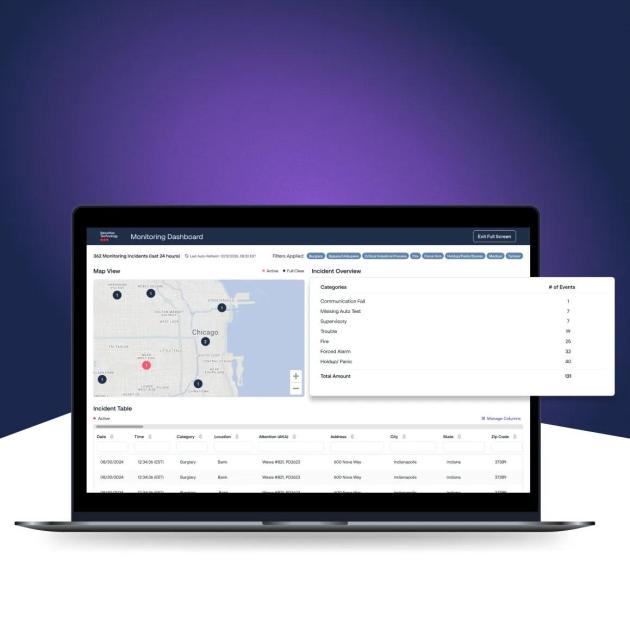
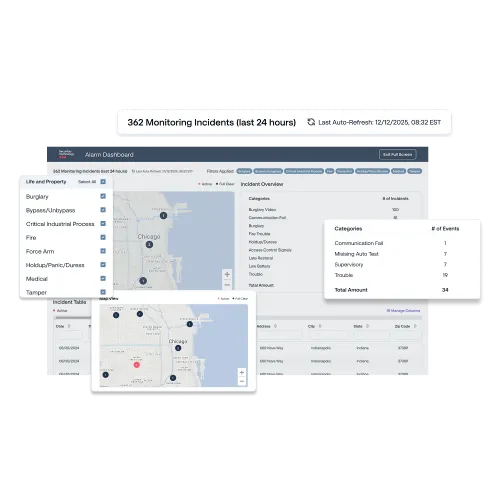
The Monitoring Dashboard is an easy-to-use feature of our SecureStat HQ Security Management Platform that includes powerful visual tools to help you centralize, manage, and analyse comprehensive alarm activity across your business locations.
By displaying all monitoring events from the past 24 hours, the Monitoring Dashboard helps you instantly pinpoint threats with an interactive map, prioritize responses with incident overview, and explore detailed security monitoring data to unlock actionable security insights.
The Monitoring Dashboard is accessible to designated SecureStat HQ users with an Advanced or Premium subscription plan.
Available to SecureStat HQ users with an Advanced or Premium subscription plan
Core Monitoring Dashboard Features
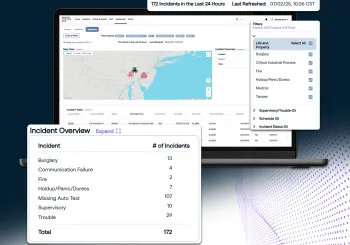
Interactive Map Overview
Helps you to visualize critical monitoring activity across all your sites and security systems in a vibrant map view.
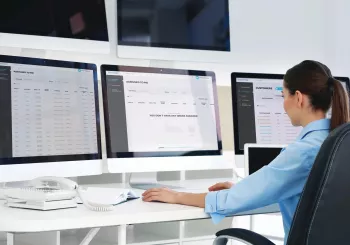
Monitoring Management
Ensures you are aware of all alarm events and incidents as they happen, as well as providing specific information about alarm resolutions.

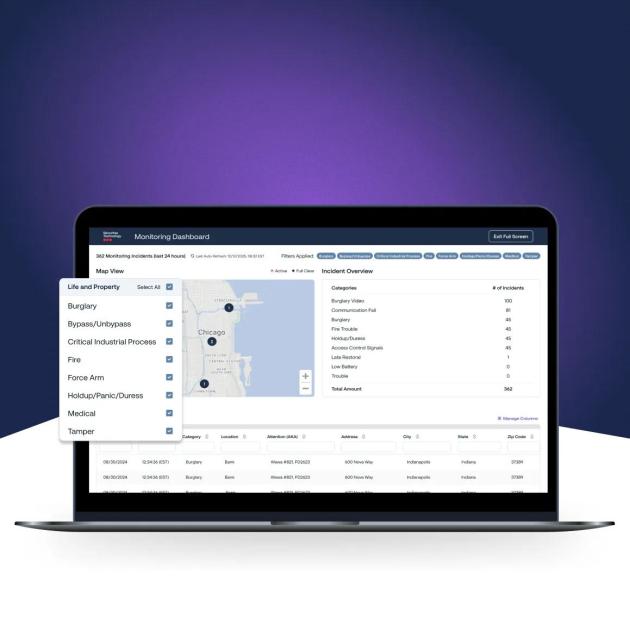
Dashboard Filters
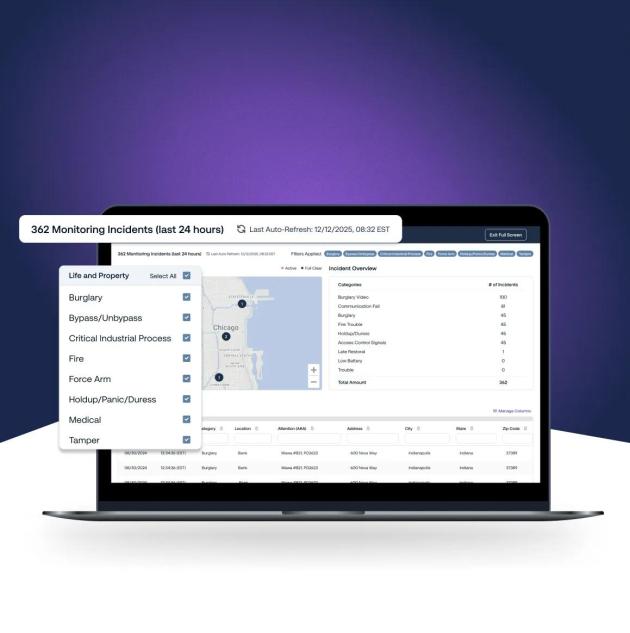
Allows you to configure your dashboard experience by selecting or deselecting filters to focus on the alarms you want to prioritise, from life and property to supervisory.

Configurable Incident Table
Enables you to drill down into individual incidents and access specific details, including incident timelines and resolutions.

Incident Overview
Presents a quick summary of all your monitoring activity, including the category and number of incidents reported over the past 24 hours.

Downloadable Event Data
Offers you the ability to export and share comprehensive monitoring data, as and when you need it.
Premium Site Monitoring Features
Available to Premium SecureStat HQ users only

Available to Premium SecureStat HQ users only
Auto Data Refresh
Access a live, panoramic view of customizable events from the last 24 hours with data that refreshes automatically in near real time.
Contact your account manager for more information.

Available to Premium SecureStat HQ users only
Full, Multi-Screen Functionality
Go full screen to see exactly what you need and none of what you don’t. Expand your dashboard viewing experience across multiple screens to gain maximum visibility.
Contact your account manager for more information.
DATA-DRIVEN INCIDENT MONITORING
How to Turn Insights into Actions

Explore the Incident Map
Easily view, filter, and access incident information on demand using the Incident Map as your personal monitoring assistant.

Drill into the Incident Table
Explore locations, incident types, systems, devices triggered, and view incident timelines at the click of a button.

Understand What is Happening
Keep track of trends happening now – and rapidly recognize which monitoring events and incidents are the most problematic.

Take Action
Harness the full functionality of the SecureStat HQ platform to react quickly and optimize your security operations. Open and track service calls on equipment, export your incidents for record keeping, and keep an eye on trends by setting up reports and notifications for all your event history.
It’s More than Site Monitoring – It’s Data-Driven Decision Making
By arming your security team with unmatched visibility and precision, Monitoring Dashboard helps you stay informed and elevate the strategic advantage SecureStat HQ Security Management Platform already provides.
Monitoring Dashboard FAQs
The SecureStat HQ Monitoring Dashboard is an alarm management dashboard designed to provide enhanced visibility across your organization’s monitoring events. As a key module within the broader SecureStat HQ Security Management Platform, it acts as a centralized incident monitoring tool for commercial security leaders and teams.
SecureStat HQ is our comprehensive security management system designed to unify your entire security ecosystem – from access control to video surveillance, site monitoring to service updates. Monitoring Dashboard is a core feature of the platform, focused specifically on near real-time alarm monitoring, alarm event visibility, and actionable insights.
The Monitoring Dashboard is available to SecureStat HQ users on Advanced and Premium subscription plans. While Advanced users can access the dashboard’s core features and functionality, Premium users get access to auto-refresh and full-screen monitoring dashboards.
The Monitoring Dashboard offers SecureStat HQ Advanced and Premium users a view into the data being handled by our professional Alarm Monitoring operators. For more information about our 24/7 monitoring and response services, please visit our security monitoring page.
You can track data from intrusion detection systems, fire alarm systems, open/close events, and more.
For Premium SecureStat HQ users, the dashboard data auto-refreshes automatically, providing a near real-time security view of your entire monitoring portfolio. Advanced SecureStat HQ users can manually refresh the data at any time. It’s ideal for enterprises looking for an alarm monitoring suite complete with visual maps, incident overviews, and access to detailed incident timelines.
Yes! The Monitoring Dashboard helps you to react internally to critical alarm events and keep your security teams better informed, prepared, and ready to respond.
Upgrading to a SecureStat HQ Premium subscription is easy and gives you full access to the SecureStat HQ Monitoring Dashboard and additional security management capabilities.

Access Control System
Create a safe environment for your employees and visitors with commercial access control systems.
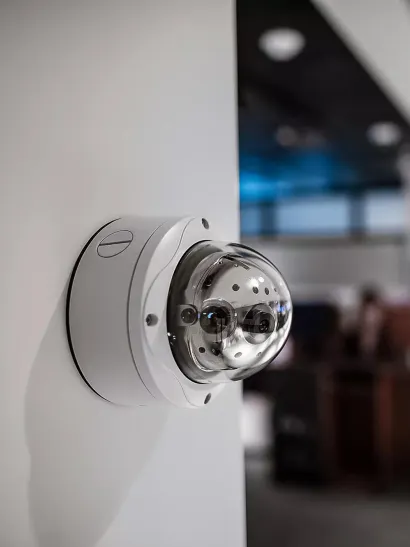
Intrusion Systems
Deter potential intruders from your premises with a reliable intrusion system.

Video Surveillance
Keep an eye on your business from anywhere, at any time with Securitas Technology, one of the top verified video surveillance companies.
More Site Monitoring Services
More Site Monitoring Services
Maximise Your Site Monitoring Capability
Discover how the SecureStat HQ Monitoring Dashboard and the SecureStat HQ platform can drive greater security and efficiency across your organization.


